
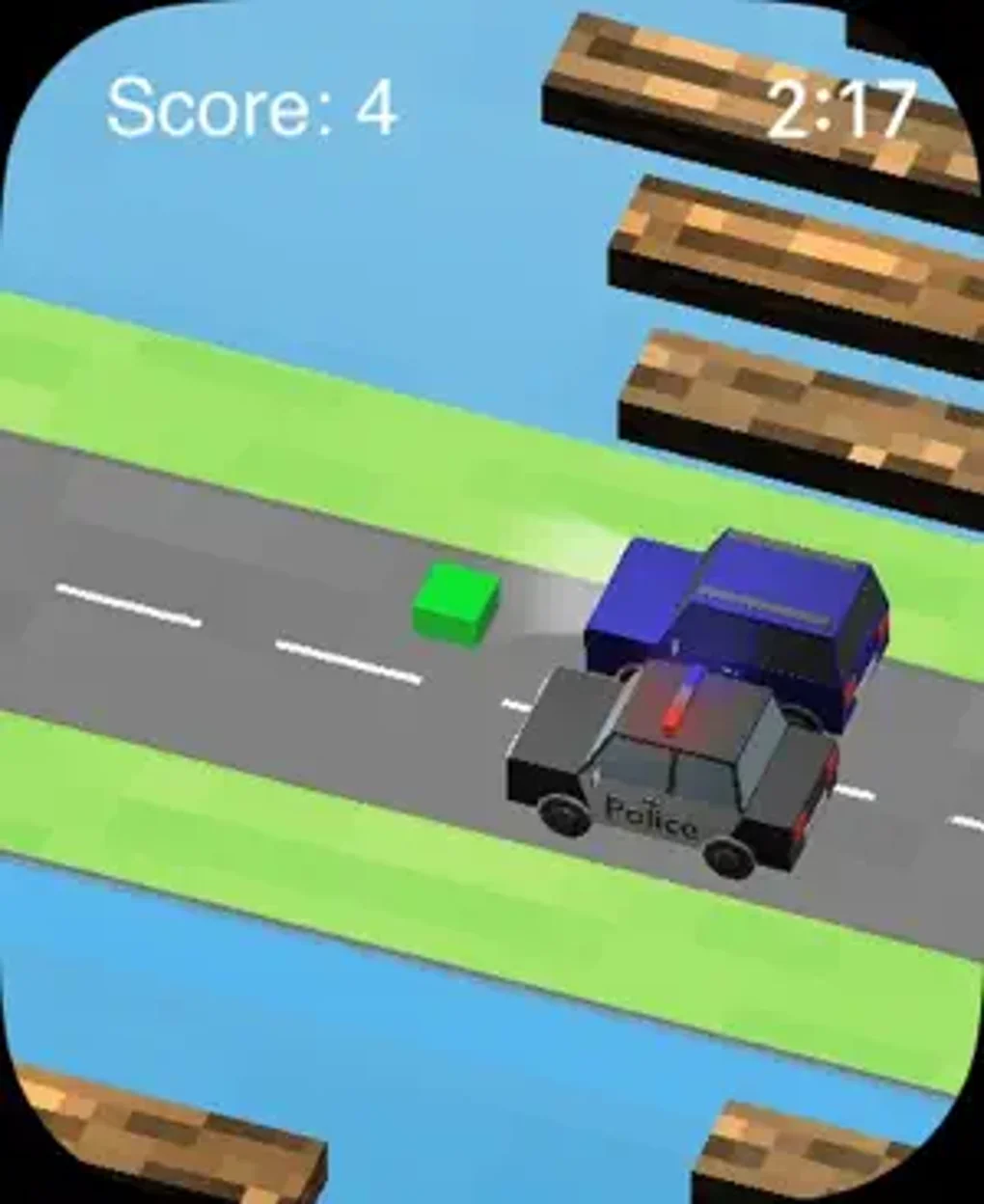


Simple Arcade Fun on Your Apple Watch
Overview
Croak! is a minimalist arcade game designed specifically for the Apple Watch, reviving the nostalgic essence of the classic Frogger experience. The game delivers a straightforward yet engaging challenge, where players guide a frog across a busy road and a flowing river using only tap-based controls. Its core purpose is to provide quick, accessible entertainment tailored to the constraints of a smartwatch interface. Ideal for casual users seeking brief gaming sessions during commutes, breaks, or downtime, Croak! fits seamlessly into short bursts of leisure time.
The game’s design embraces simplicity, focusing on a single mechanic: tapping to hop the frog forward. This mechanic is executed across two primary environments—roadways filled with moving vehicles and rivers with floating logs—each requiring precise timing and reflexes. The pixelated visual style maintains the retro charm of the original Frogger while adapting effectively to the Apple Watch’s compact screen. While the gameplay loop is consistent, it remains engaging for short play sessions, making it well-suited for users who value immediate gratification and minimal setup.
The developer did not provide additional details about the team or background. No information was shared regarding intended user demographics beyond casual players. Real-world usage scenarios include playing during short breaks, while waiting in line, or during morning routines. The game’s lightweight nature and low learning curve allow for instant access without requiring prior experience or long-term commitment.
Key Features & Capabilities
- Tap-to-Hop Mechanics: Players control the frog with a single tap, making movement intuitive and accessible even during brief interactions.
- Classic Frogger Gameplay: The core challenge mirrors the original Frogger, with players navigating obstacles like speeding cars and floating logs.
- Minimalist Pixelated Design: A clean, retro-inspired visual style enhances readability and maintains the nostalgic appeal of arcade classics.
- Endless Hopper Mode: The game continues indefinitely, testing reflexes and strategy as environments grow more complex over time.
- Optimized for Apple Watch: The interface is tailored to the small screen, ensuring touch targets are responsive and layouts are legible.
These features enable users to enjoy a focused gaming experience without distractions. For example, a user can play a few rounds during a coffee break, relying on the simple tap control to react quickly to oncoming traffic. The pixelated graphics reduce visual clutter, making it easier to track moving elements on a small display. The endless gameplay loop encourages repeated play, appealing to users who enjoy incremental progress and reflex-based challenges. The game’s design prioritizes immediacy and accessibility, allowing anyone to start playing without tutorials or setup.
User Interface, Workflow & Performance
The user interface of Croak! is designed with the Apple Watch’s limitations in mind, featuring a clean layout with minimal on-screen elements. Navigation is direct: players tap to move, with no menus or settings to navigate during gameplay. The workflow is streamlined, eliminating unnecessary steps between starting a session and engaging with the action. The game begins immediately upon launch, aligning with the expectations of on-the-go users.
Performance observations are based on general software behavior patterns. The game runs smoothly within the constraints of the Apple Watch’s hardware, maintaining consistent frame rates during active play. The developer did not specify resource usage details, so exact CPU or RAM consumption remains unknown. Stability appears reliable during short sessions, with no reported crashes or freezes in the provided information. The interface responds promptly to taps, ensuring that player input translates into immediate action, which is critical for reflex-based gameplay.
Given the game’s simplicity and small file size, it is likely optimized for efficient operation. The minimalist design reduces processing demands, allowing for quick loading times and minimal battery drain. However, prolonged use may affect battery life, though this was not explicitly documented. The overall workflow supports a frictionless experience, ideal for users who want to play without delays or interruptions.
Compatibility & System Requirements
Croak! is designed exclusively for the Apple Watch, ensuring compatibility with all models that support the watchOS ecosystem. The software version is 1.0, with a file size of 45 MB, which is relatively small for a full-featured game. This indicates efficient resource management and a focus on lightweight performance.
Exact system requirements were not listed. Compatibility information was partially provided, confirming support for Apple Watch devices. No details were shared regarding required watchOS version, processor speed, or memory specifications.
The developer did not provide additional hardware requirements. Users should ensure their Apple Watch is running a compatible version of watchOS, though specific versions were not mentioned. Installation is expected to be straightforward through the Apple Watch app on paired iOS devices.
Pros and Cons
Pros
- Simple, intuitive tap controls ideal for quick gaming sessions
- Minimalist pixelated design enhances readability on small screens
- Instant access with no lengthy setup or tutorials
- Lightweight at 45 MB, suitable for devices with limited storage
- Revives classic Frogger gameplay in a modern, accessible format
Cons
- Gameplay may become repetitive over extended use
- Limited variety in mechanics or level design
- No customization options or unlockable content
- Endless mode can lead to fatigue in prolonged sessions
- Minimal visual or audio feedback beyond basic actions
FAQ Section
Is Croak! compatible with all Apple Watch models?
The game is designed for Apple Watch, but specific model compatibility was not detailed. Users should ensure their device runs a supported version of watchOS.
Is Croak! safe to download and install?
As a free app available through the Apple Watch App Store, Croak! is distributed via Apple’s secure platform, minimizing risks associated with third-party sources.
Does Croak! require an internet connection?
The game operates offline, allowing full gameplay without an active internet connection. All data is stored locally on the device.
How often are updates released for Croak!?
Update frequency was not specified. Users are encouraged to check the App Store for the latest version.
Can I play Croak! without an iPhone?
While the game is designed for Apple Watch, initial installation typically requires a paired iPhone. Once installed, the game can run independently on the watch.
Final Thoughts + CTA
Croak! delivers a focused, nostalgic arcade experience tailored to the Apple Watch’s unique form factor. Its simple tap-based mechanics, clean pixelated design, and instant gameplay make it an excellent choice for casual players seeking brief, engaging entertainment. While the repetitive nature of the endless hopper mode may limit long-term appeal, its strengths lie in accessibility and immediate enjoyment. The game excels as a bite-sized distraction, perfect for short breaks or moments of downtime. For users who appreciate classic arcade games and value simplicity, Croak! offers a satisfying, low-commitment experience.
Download Croak! now







